

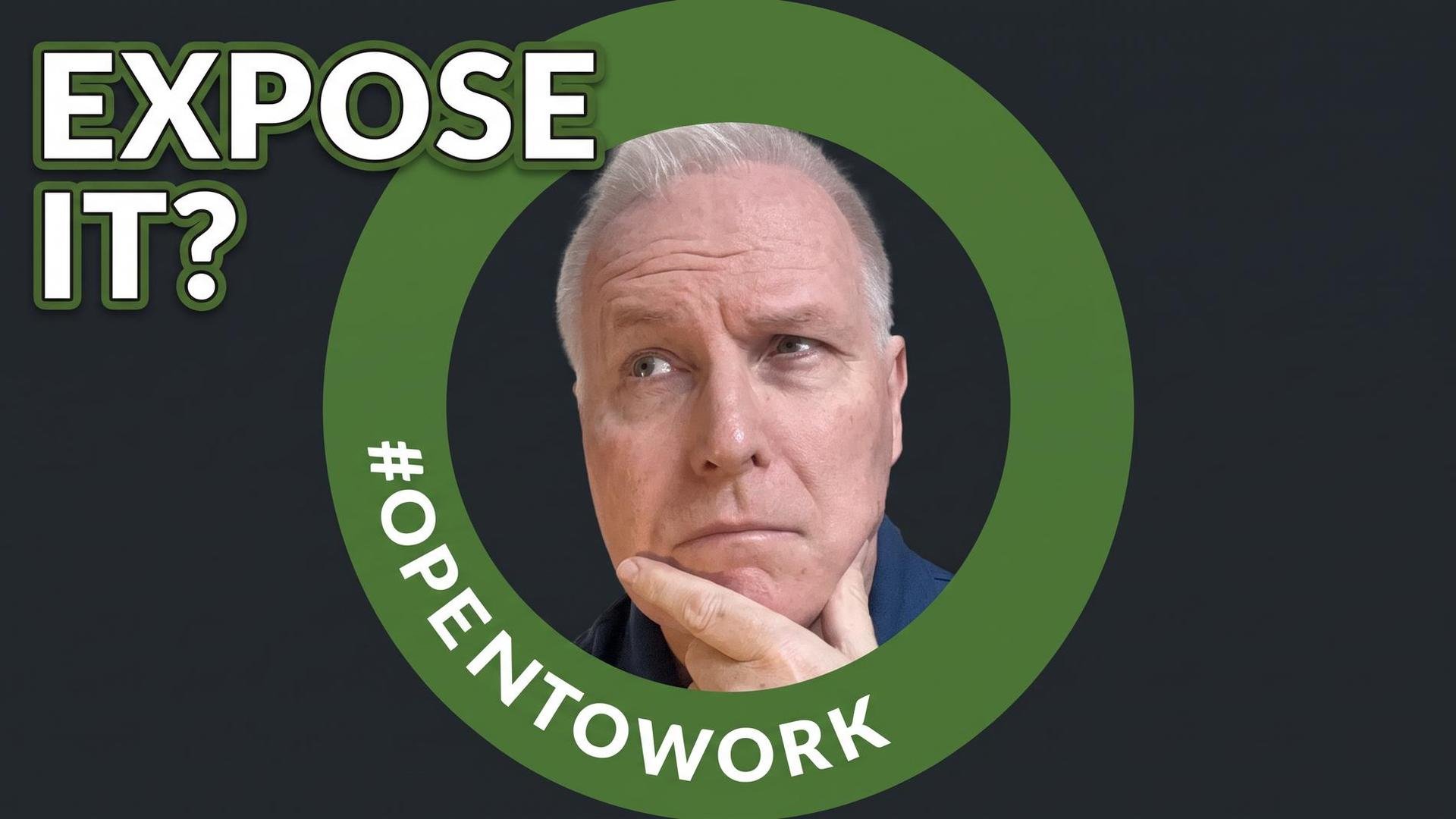
Blog author John Stech contemplating the Open to Work badge
The Truth About LinkedIn's Green Open to Work Frame for Job Seekers Over 50
Should I expose it? What will my former colleagues think? What will my friends think? Can they ever unsee it once I have exposed myself?
Wait. What do you think we are talking about? We are talking about the green Open to Work frame on your LinkedIn profile photo. What were you thinking?
In this week's episode of the Ageism Survival Guide podcast, I take on one of the most stressful small decisions in a modern job search. Do you turn on that bright green ring for the world to see, do you stay visible to recruiters only with no ring at all, or do you use neither setting? This article covers that full debate, then walks you through the exact steps to set each option once you decide which path to take.
Here is the thing many people miss. You think you are choosing a look for your photo with that nice green ring. You are actually choosing an audience for your job search. That one choice affects who contacts you, what they assume about you, and how much control you keep if you are still employed.
I went through this decision process in 2020 after losing a corporate job in a restructuring. Being a very private person I hesitated to communicate my sudden unemployment. On the other hand, I understood that if nobody knows about my situation, then nobody could help me. I’ll share more of my story as we walk through the different possibilities.
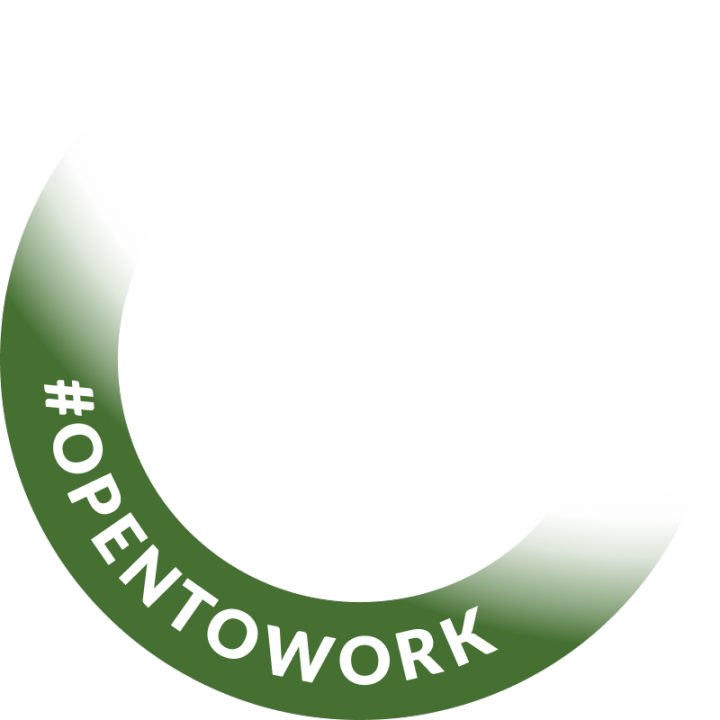
The LinkedIn Open to Work badge
What That Green Ring Actually Means
LinkedIn does not give you a separate frame switch and privacy switch. You’re either fully exposed, partially exposed, or flying completely under the radar. There is one setting with three visibility choices.
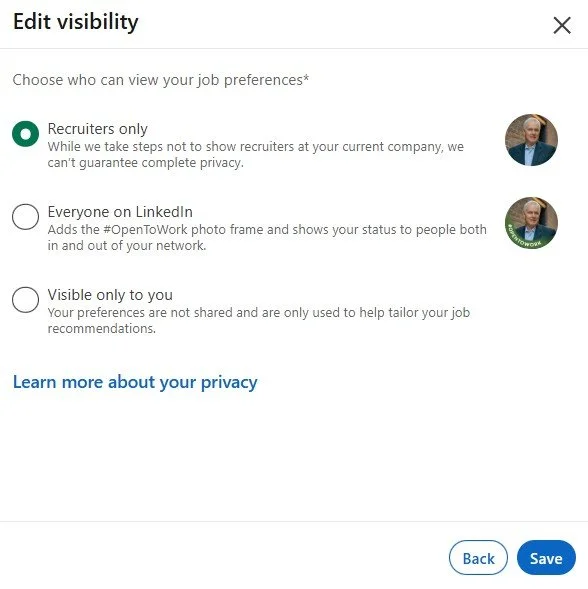
1. All LinkedIn members. Your job preferences are shown to everyone on LinkedIn. LinkedIn automatically adds the #OpenToWork photo frame to your profile picture. Everyone includes people at your current company. It also includes people that can help you.
2. Recruiters only. Your preferences are shown to people who use LinkedIn Recruiter. No frame is added to your photo. Although LinkedIn says it tries to hide this status from recruiters at the company you list as your current employer, it also says it cannot guarantee complete privacy. In other words, there is a risk.
3. Visible only to you. Nothing is signaled to anyone. LinkedIn only uses your preferences to tune the job recommendations in your feed which you see for yourself.
Irony alert. The feature everyone treats as a fashion decision is really an audience decision driven by background settings. Once you see it that way, the pros and cons get much clearer.
The Case For Going Public With the Green Frame
There is a real upside, especially if you have spent years building relationships.
First, LinkedIn reports that members who use the frame receive on average about 40 percent more InMails from recruiters and about 20 percent more messages from their network or community. That is LinkedIn's own claim about its own feature, so read it as directional, not as factual independent research.
Second, recruiters and your network are two different pipelines. The recruiter filter gets you into a search. The green ring is the only signal your human network can see. That matters because former colleagues, former bosses, and previous clients often hear about roles before those roles are ever posted. They become your advocates, helping you to circumvent the ATS during an application.
Third, the frame removes ambiguity about timing. It tells a hiring manager you are moving now, not just testing the market for leverage.
Fourth, it can trigger warm support. If your network is strong and engaged, a public signal can turn into introductions, referrals, and messages of help within hours. For senior professionals, those warm introductions are far more valuable than cold inbound volume.
Finally, it saves you from having to tell your story twenty times. You announce your status once, on your terms, and then you move forward with your job search.
The Case Against Going Public
For our audience, those over 50, this side of the debate is heavier. Let me be honest with you about each risk. Take care to weigh them all before taking your decision which way you will proceed.
First, you cannot exclude your current employer. If you are still employed, anyone at your company who views your profile will see the ring. If a quiet search matters to your income, that is a serious risk. Just imagine what you boss says to you on a Monday morning after seeing your profile with the Open to Work badge over the weekend!!
Second, not every hiring manager reads the ring the same way. It can be quite polarizing. Some recruiters praise it as clear and helpful. Others have called it a red flag that can read as desperation. You should know that this negative view exists, because someone screening your profile might hold it and keep scrolling away.
Third, the stigma compounds with age. Our 50+ community already fights assumptions about salary, tech skills, and runway till retirement. Being publicly in transition adds one more visible data point to a bias that was already there. Unlike a resume bullet, you cannot reframe it as a choice you made. Even if you do write an explanatory post on the day of turning on the green badge, not everyone will think to scroll through your posting history to find it. Instead, they will form their own assumptions.
Fourth, the clock works against you. The ring stays up until you remove it. A search that is two weeks old reads very differently from a search that has been public for eight months, and LinkedIn gives you no way to show that difference. In other words, if that badge stays active for eight months, it is not hard to understand how recruiters or members of your network may reach conclusions about your ability to get hired.
Fifth, more inbound messages does not mean better inbound messages. Public profiles with the frame report more outreach from fake recruiters and low-quality job listings. You will need a filter. In 2020 I received a recruiter InMail referring to an interesting executive position. I expressed my interest and they immediately changed their tune to selling me a resume rewrite. Gone was the talk of the position and in was the hard sell to fix my resume.
Sixth, seniority changes the math. This is an incredibly important one to consider. For director and executive roles, the market expects your next move to come through reputation and relationships, not through a public availability badge. The green badge may be suitable for people earlier in their career or in junior roles, but in senior roles the expectation is that your reputation and executive network will secure your next role.
Seventh, the frame is a filter, not a boost. Yes, your profile may appear in recruiter searches. But it only helps if your headline, job titles, locations, and skills already match what a recruiter is searching for. A green ring with empty job preferences is just an empty green ring, a wasted toggle. Be sure to complete the detailed information behind the green badge.
The Middle Path: Recruiters Only With No Frame
This is the quiet door. No ring, no public signal, but you still appear in searches run by people with a paid LinkedIn Recruiter seat.
Pros of recruiters only:
You keep the recruiter pipeline while your network sees no change
Colleagues, clients, and non recruiter staff at your company see your profile exactly as before
Your listed job titles, locations, start date, and employment types still do real search work
You can switch it on early, while you finish a project or work through a severance conversation, and let recruiters warm up
It avoids the public status problem. There is no visible clock on your search
Cons of recruiters only:
Your human network stays completely blind. No former colleague will know to refer you
Privacy is a best effort, not a guaranteed promise. Agency recruiters, former employees who kept access, and word of mouth can all break the seal secrecy
Not every recruiter can see it. LinkedIn Recruiter is expensive, and many in-house and small agency recruiters do not have a seat and won’t see your availability
You lose the public support effect. No badge, no announcement post, no comments, no offers of help
LinkedIn can switch it off if you go quiet. If you stop responding to recruiter InMails, LinkedIn will email you to confirm you are still open to opportunities. If you do not confirm, the setting is removed until you turn it back on. In other words, you might be invisible to recruiters and not know it
What About Using No Setting At All?
Some experienced professionals choose none of the above, and for good reasons.
Pros of staying off: total privacy, no public clock, no signal to decode, and full control over who you tell and when.
Cons of staying off: you are invisible in the open to work recruiter filter, your network gets no nudge, and LinkedIn has less information to recommend the right roles to you.
For many of our readers, the strongest version of this path could be a hybrid. Stay off the visible badge settings but set the option to recruiter visibility. Then, stay very active with posting, commenting, and direct outreach. You build visibility through your expertise instead of through a badge, a strong move especially at more senior levels.
What did I do during my search in 2020?
I grew up with a sense of pride in my accomplishments. Asking for help was very difficult for me, especially doing so publicly. But with so many people losing work in 2020 there was far less stigma to hide my job loss. While I did end up displaying the green Open to Work badge on my profile, I did it only briefly, perhaps two weeks. I found that my one-on-one network outreach produced far better results in getting leads, even though it did take more time and effort.
What This Means After 50
Our time to rise does not come from looking more available. It comes from looking more valuable.
Ask yourself which pipeline is actually alive for you right now. When did a regular person, not a recruiter, last reach out to you about an opportunity? If your network is deep, warm, and engaged, going public can convert that trust into introductions fast. If your network is thin or you have been heads down for years, going public mostly buys you mixed quality recruiter volume plus a public status you cannot quietly take back.
And remember this. Neither setting fixes age bias by itself. A recruiter still opens your profile and sees your photo, your earliest roles, and your education dates, even your outdated AOL.com e-mail address. These profile settings change WHO sees you. They do not change WHAT they see. That is why your headline, your About section, and your recent experience have to do the heavy lifting. These need to be fully optimized and age-proofed before you get started.
If you want help with that part, you do not have to do it alone. At ageismsurvivalguide.com you will find our resource library with downloadable guides rich with tips, plus services for resume writing, LinkedIn profile optimization, and one on one career coaching. (https://www.ageismsurvivalguide.com/services)
How To Set Each Option in LinkedIn
Use the steps below to activate the setting you choose. LinkedIn updates its layout often, so menu labels may vary slightly.
How to turn on the public green frame on desktop from your profile:
Click the Me icon at the top of your LinkedIn homepage
Click View Profile
Click the Open to button in your introduction card
Click Finding a new job
Fill in job titles, workplace types, locations, start date, and employment types
Under visibility, select All LinkedIn members
Click Save. LinkedIn adds the #OpenToWork frame to your profile photo
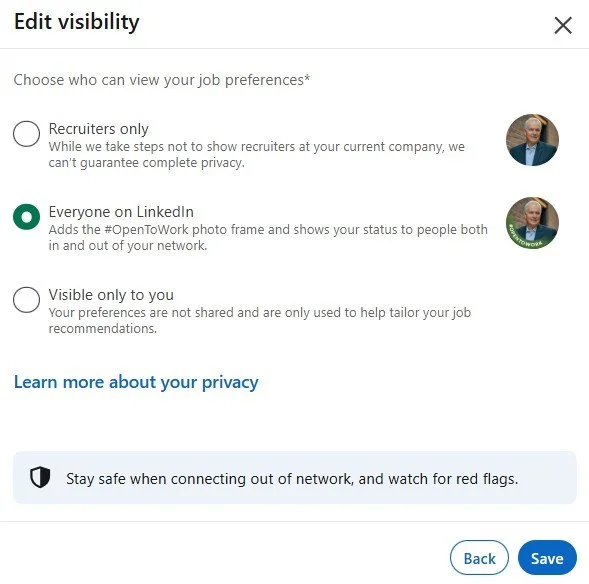
Desktop settings: activating Open to Work full visibility
How to turn on the public green frame on desktop from the Jobs tab:
Click the Jobs tab at the top
In the left panel, click Preferences
Click the arrow next to Open to work
Update job titles, workplace types, locations, start date, employment types, and Visibility
Set Visibility to All LinkedIn members
Click Save
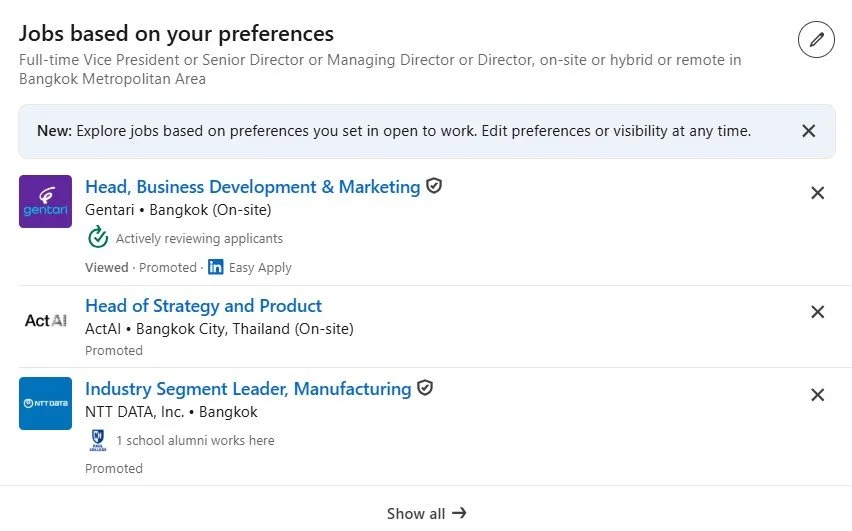
Edit preferences using the pencil icon (top right)
How to turn on the public green frame on mobile:
Tap your profile photo, then tap it again to open your profile
Tap the Open to button in your introduction card
Tap Finding a new job
Fill in the requested job preferences
Choose All LinkedIn members
Tap Save
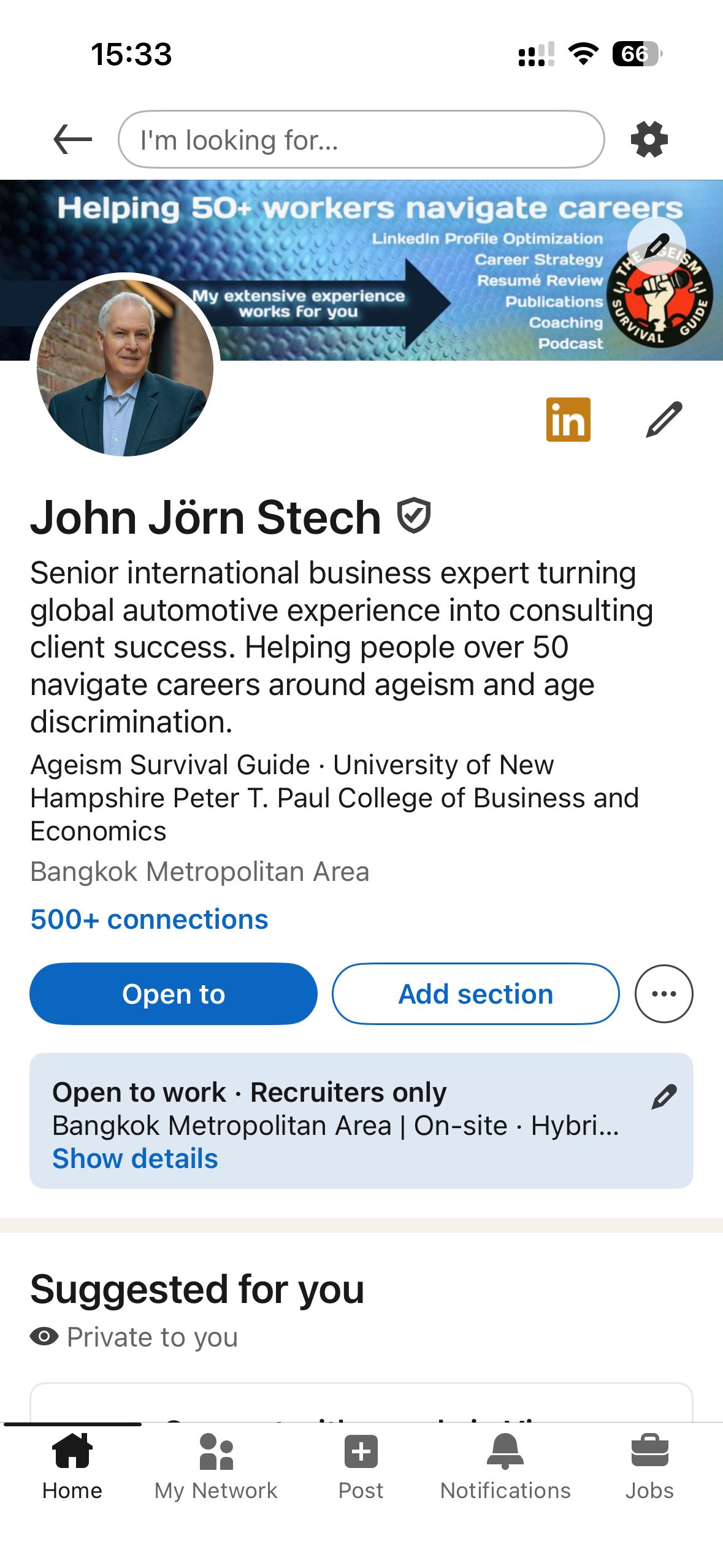
Phone app: click on Open To in order to set your job preferences.
How to turn on recruiters only with no frame:
Follow the same steps above, with one change. At the visibility choice, select Recruiters only instead of All LinkedIn members. Then click Save. The frame will not appear. There is no second toggle to hunt for. That one dropdown is the whole difference between public and private.
For the most private version, select Visible only to you. LinkedIn will use your preferences for your own job recommendations and will signal nothing to anyone else.
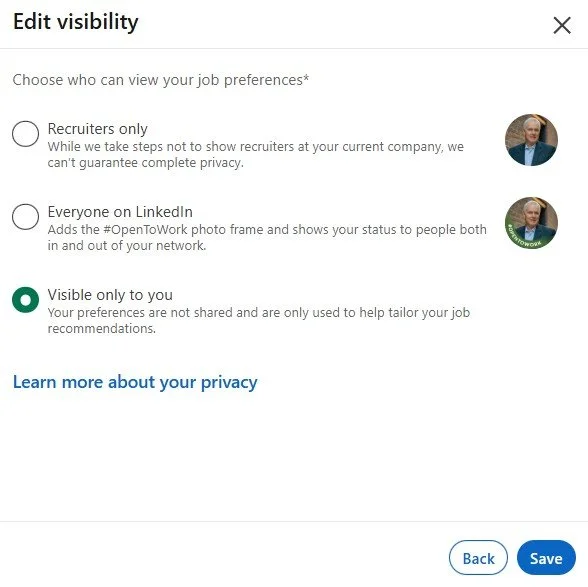
Desktop: setting visibility to Visible Only To You
How to edit or remove your setting:
On desktop, click Me, then View Profile
Find the Open to work box at the top of your profile
Click the Edit pencil to update titles, locations, or visibility, then click Save
To turn it off completely, click Delete
Note: LinkedIn does not save your previous preferences after you delete. If you re enable later, you will need to reenter job titles and locations from scratch
On the phone the delete button appears at the bottom of the screen (see below)
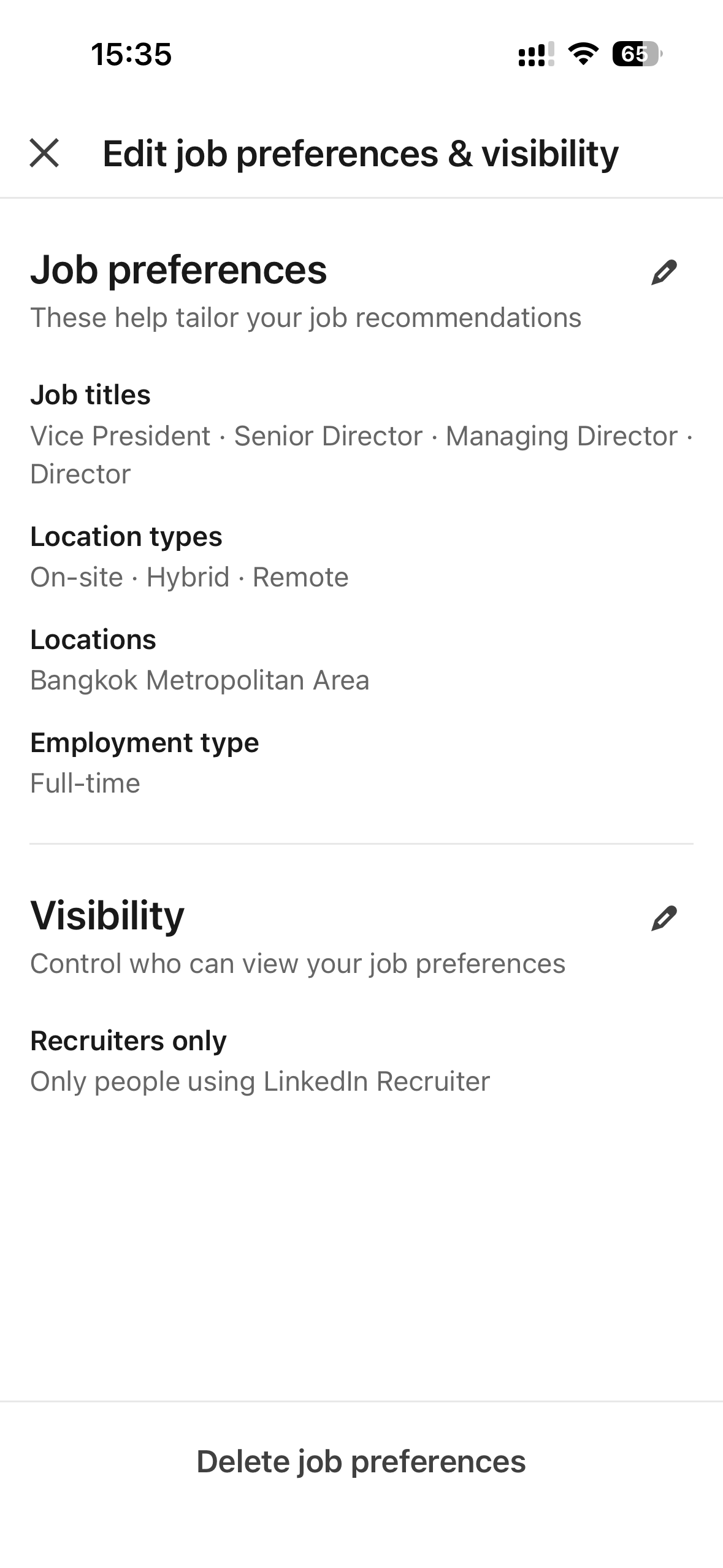
Phone app: delete job preferences by clicking at bottom of screen
Bottom Line
The green frame is not a badge of shame, and it is not a magic ticket. It is an audience choice. Make it deliberately, for your situation, not for how you think it looks.
Listen to this week's Ageism Survival Guide episode for the full conversation, then tell us which door you chose.
As I always say, youth runs fast but age knows the terrain.
John Stech
Check out the YouTube video at: https://youtu.be/_b5LuvnFSh4
Follow on LinkedIn: https://www.linkedin.com/company/ageism-survival-guide